MP Treasury Pay Slip Download | IFMS Salary Slip Guide 2026
Getting salary slips and payment details was once a difficult process for government employees in Madhya Pradesh. Employees had to rely on office staff and manual procedures for even small financial records. This system was slow and often inconvenient. To solve this problem, the Government of Madhya Pradesh introduced the MP Treasury IFMS Portal.
This Portal allows employees to view and download their salary slips and perform other financial tasks without visiting any office.
The purpose of the MP Treasury Portal is to bring transparency and convenience to government financial services. It eliminates paperwork and saves time by providing instant access to financial information. In this article, we cover all the details about what an MP Treasury Pay Slip is, how to download it, and all important information related to it.
What is an MP Treasury Pay Slip?
The MP Treasury Pay Slip is an official salary document issued to Madhya Pradesh government employees through the IFMS portal. It is a digital record that shows an employee’s complete salary details.
It contains information about:
All permanent and contractual employees working under the MP government departments can access this facility online.
Also check: MP Treasury Payment Status
How to Download MP Treasury Pay Slip?
Follow these steps carefully to download your pay slip:
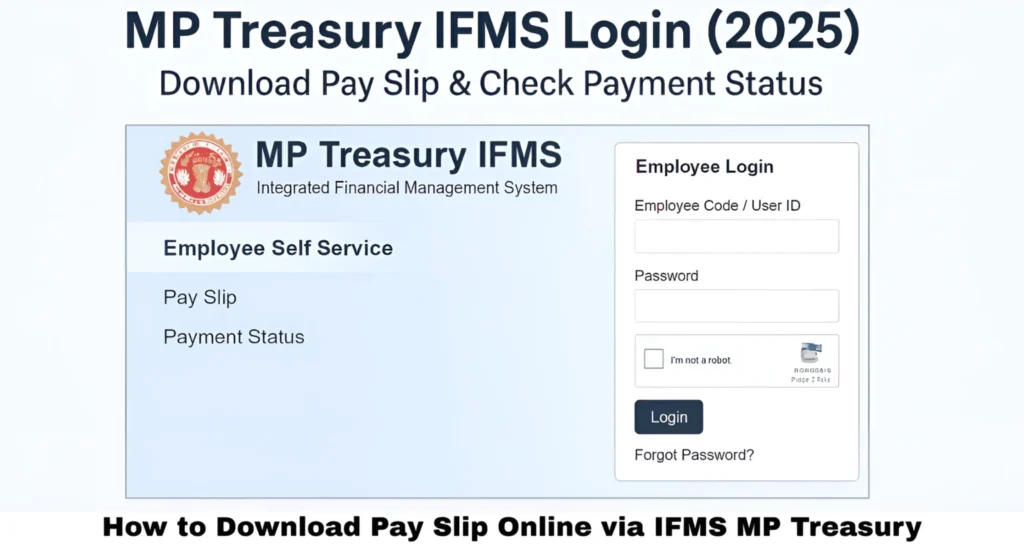
Visit the Official Portal
- Open your web browser.
- Go to the official MP Treasury IFMS Portal.
Employee Login
- Click on “Employee Login”.
- Enter your User ID, password, and captcha code.
Access Reports
Common deductions include:
- Navigate to the Reports section.
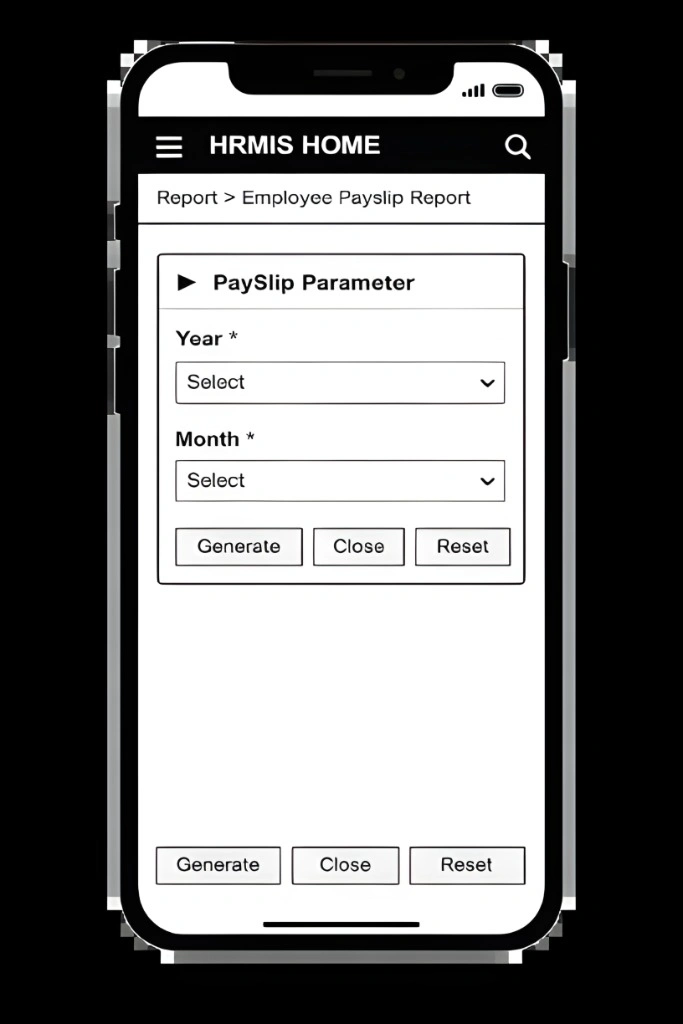
- Select the Pay Slip option.
Select Month & Year
- Choose the month and year for which you want the pay slip.
Download
- Click “View” or “Download”.
- Your salary slip will be downloaded in PDF format.
Requirements to Download Pay Slip
Before downloading your salary slip, ensure you have:
Details Available in MP Treasury Salary Slip
The salary slip provides a complete breakdown of an employee’s monthly salary and financial records. Below are the major sections:
Employee Personal Information
- Employee Name
- Employee Code
- Designation
- Department Name
- Office Location
This section helps identify the employee and verify the authenticity of the salary document.
Earnings and Allowances
- Basic Pay
- House Rent Allowance (HRA)
- Dearness Allowance (DA)
- Special Allowances
- Other Benefits
This section shows all income components before deductions.
Deductions Information
Common deductions include:
- Provident Fund (PF)
- Income Tax
- Loans
- Insurance
- Other Government Recoveries
This section helps employees understand exactly where their money is being deducted and for what purpose.
Net Salary Amount
- Net Salary is the final amount credited to the bank after all deductions.
- It summarizes total earnings minus total deductions.
Bank and Payment Information
- Bank Name
- Account Number
This confirms that the salary has been processed to the correct account.
Step-by-Step Tips for First-Time Users
Common Issues and Solutions
| Issue | Solution |
|---|---|
| Forgotten Password | Use “Forgot Password” option on the IFMS portal |
| Login Errors | Ensure correct User ID, password, and captcha |
| Pay Slip Not Available | Confirm your employee record is active in IFMS |
| Download Failures | Check internet connection or try a different browser |
Benefits of Using MP Treasury Pay Slip Online
Convenience
Access anytime, anywhere.
Transparency
Clear display of earnings and deductions.
Time-Saving
Eliminates office visits and paperwork.
Accuracy
Reduces salary calculation errors.
Financial Tracking
Easy record for taxes or loans.
Importance of Digital Pay Slips
Eco-Friendly
Reduces paper usage.
Secure
Minimizes risk of document loss or manipulation.
Accessible
Retrieve pay slips anytime.
Organized
Store PDFs for tax or legal purposes.
Efficient
Speeds up payroll processing.
How MP Treasury Pay Slip Helps in Loan & Tax Verification
Digital pay slips can be used as official documents for banks or financial institutions. Employees can:
This makes MP Treasury Pay Slips multi-purpose financial documents, adding real value beyond salary tracking.
Security Features of MP Treasury IFMS Portal
The portal includes robust security measures to protect sensitive employee data:
These features ensure safe and reliable access to salary information.
Tips to Keep Your Digital Pay Slips Safe
Advantages for Contractual Employees
Contractual and temporary employees under the MP government also benefit from the IFMS portal:
This ensures equal convenience for all employees, regardless of employment type.
How to Check MP Treasury Payment Status
Employees can also check the status of their salary payments:
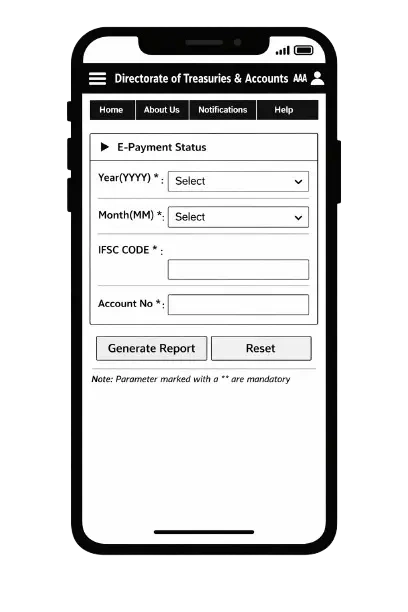
This real-time payment tracking helps avoid delays or discrepancies.
Importance of Keeping Updated Records
Maintaining up-to-date salary records is crucial for:
Employees are advised to download and store all monthly pay slips digitally.
FAQ’s
Final Thoughts
The MP Treasury IFMS Portal has made accessing salary slips simple and convenient for Madhya Pradesh government employees. It provides transparency in earnings, deductions, and net salary while significantly reducing paperwork and saving time. Employees also benefit from easy access to bank details and historical records, ensuring secure, accurate, and reliable salary management.
Overall, the portal allows employees to view and download their payslips anytime, offering a modern and efficient approach to salary administration.