DDO vs Employee Login on MP Treasury IFMS: Key Differences
Understanding the distinction between DDO vs Employee Login on MP Treasury IFMS is crucial when navigating the platform. These two login types are designed to fulfill different roles within the government sector, each providing access to essential financial information but with varying functions and permissions. While both logins allow users to interact with financial data, they serve distinct purposes.
In this article, we’ll explore the key differences between DDO and Employee Login, their specific roles, and real-life use cases, helping you determine which login is right for your needs.
What Is MP Treasury IFMS?
IFMS is a secure online system for government financial tasks. It’s used by employees, accounts officers, and DDOs to manage accounts, pay slips, bills, funds, pensions, challans, and more through MP Treasury IFMS.
Main benefits:
Before jumping into the differences, here’s a quick picture of each login type.
Employee Login Simple, Personal & Self Service
Who it’s for:
Government employees of MP.
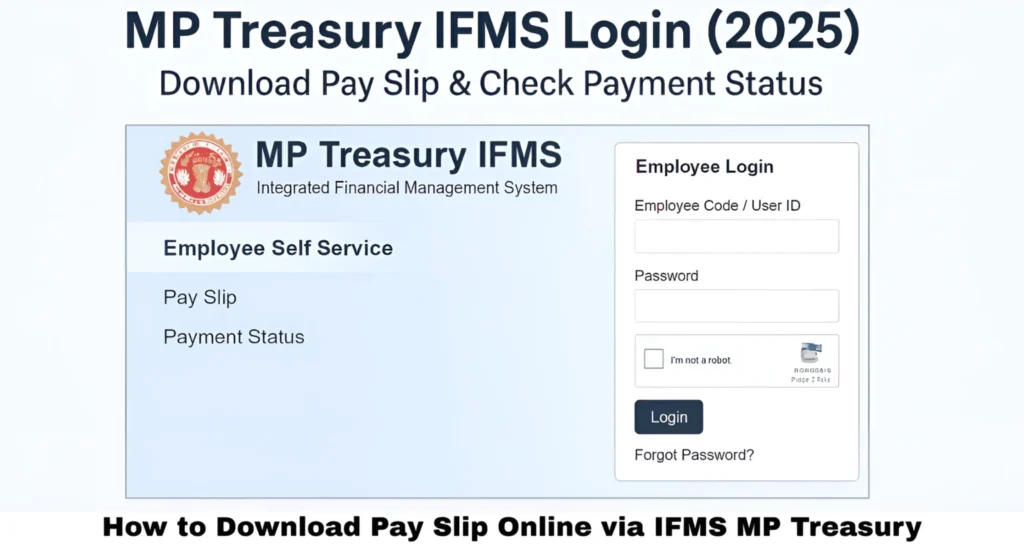
What you use it for:
How to login:
Once logged in, employees see their own work‑related data. The portal shows salary breakdowns, allowances, deductions, and other details.
Main reason to use it:
Employee login is about your own financial info only. You don’t process bills for other people or handle official funds just your salary and related self‑service functions.
DDO Login Official, Bill‑Focused & Financial Control
Who is a DDO?
DDO = Drawing & Disbursing Officer. This is an officer responsible for drawing funds from the treasury and disbursing them correctly. They handle financial operations and bills for an office or department.
What DDO does:
How DDO login differs from employee login:
Through their login, DDOs perform real financial tasks such as reviewing pay bills, checking staff accounts, and interfacing with treasury systems. This clearly highlights the role distinction explained in DDO vs Employee Login on MP Treasury IFMS, where DDOs act as the official bridge between employees and the treasury payment process.
Simple example:
If an employee just wants their pay slip, they use employee login.
If someone needs to generate a pay bill for 50 employees in an office, that’s DDO login territory.
Side‑by‑Side Comparison
| Feature / Task | Employee Login | DDO Login |
|---|---|---|
| Login Purpose | See your own data | Manage office financial tasks |
| Access Level | Personal info only | Official, broad access |
| Payslip Download | Yes | Yes |
| Bill Preparation | No | Yes |
| Salary Disbursement | No | Yes |
| Employee Database | View only | View + modify |
| Fund Drawing | No | Yes |
| Office Reports | No | Yes |
| Role in IFMS | Self‑service | Transaction processor |
Bottom line:
Employee login = You view your stuff.
DDO login = You manage and process payments for many others.
Real‑Life Roles & Use Cases
Here’s how these logins play out in real use:
- You want your salary slip PDF for tax filing.
- You want to check payment status for a benefit.
- You need to update your phone/email.
- You’re checking GPF or leave info.
- You’re preparing monthly pay bills for your department.
- You need to submit bills to treasury for payment.
- You manage staff financial records or approvals.
- You authorize employee salary changes or launch bills from the office.
Common Mistakes & How to Fix Them
I can’t login with my employee code:
Double‑check spelling and contact your DDO if first‑time credentials aren’t issued yet.
OTP not arriving:
Make sure your mobile number is up‑to‑date and you have signal.
DDO tasks not visible:
Your DDO login may be missing required permissions — speak to your admin officer.
Portal slow or not loading:
Try clearing the browser cache, or retry at a quieter time.
Quick Tips to Use IFMS Smoothly
Which Login Should You Use? Quick Decision Guide
| Your Need | Use Employee Login | Use DDO Login |
|---|---|---|
| Download your own pay slip | Yes | Not required |
| Check your salary status | Yes | Not required |
| Prepare salary bills | No | Yes |
| Approve office payments | No | Yes |
| Update staff financial records | No | Yes |
| View personal deductions | Yes | Yes, if officially allowed |
If your work is personal, use Employee Login. If your work is related to bills, office payments, or employee records, DDO Login is the right option.
Permissions You Get in Employee Login vs DDO Login
Employee Login gives limited access because it is designed for self-service only. You can view your salary, pay slip, GPF details, deductions, and personal financial records.
DDO Login gives wider access because it is used for official financial work. A DDO can prepare bills, manage employee payment data, verify records, and submit documents to the treasury.
This permission difference keeps the IFMS system secure and prevents employees from accessing office-level financial controls.
Before Logging In: Important Details to Keep Ready
Follow this simple checklist before using MP Treasury IFMS:
This small preparation can save time and reduce login errors.
Security Tips for DDO and Employee Users
Both DDO and Employee Login contain sensitive financial information, so security is very important.
Safe login habits protect salary records, payment details, and official financial data.
DDO vs Employee Login Problems and Solutions
| Problem | Solution |
|---|---|
| Employee Login open nahi ho raha | Employee code, password aur captcha dobara check karein. Agar issue rahe to “Forgot Password” option use karein. |
| DDO Login me bill option show nahi ho raha | Department admin se DDO role mapping aur permission verify karwayein. |
| Pay slip download nahi ho rahi | Salary bill process hone ka wait karein. Agar phir bhi slip na aaye to apne DDO se contact karein. |
| OTP receive nahi ho raha | Registered mobile number check karein, phone restart karein, network change karein, ya DDO se number update karwayein. |
| Wrong login type use ho raha hai | Personal salary, pay slip aur GPF ke liye Employee Login use karein. Bills, approvals aur office payments ke liye DDO Login use karein. |
| Account locked ho gaya | Multiple wrong attempts ki wajah se account lock ho sakta hai. Password reset karein ya IFMS support/admin se unlock karwayein. |
| Employee data update nahi ho raha | DDO pehle record status check kare. Agar record submitted ya locked hai to admin/treasury approval required ho sakti hai. |
| Portal slow chal raha hai | Browser cache clear karein, Chrome/Firefox use karein, aur peak hours ke bajaye off-peak time me try karein. |
| DDO ko employee record nahi mil raha | Office code, employee mapping aur treasury details verify karwayein. |
| Password reset link work nahi kar raha | Registered mobile/email check karein. Agar details old hain to DDO ya department admin se update karwayein. |
This section helps users quickly understand the issue and take the right action without confusion.
FAQs
Final Thoughts
Both Employee Login and DDO Login are essential in MP Treasury IFMS, but they serve different purposes. Employee Login is designed for individual government employees to access their personal financial data, such as downloading pay slips and checking salary details. It’s a simple, self-service platform for personal use.
On the other hand, DDO Login provides a higher level of access for officers responsible for managing the financial operations of a department. DDOs handle official tasks like generating pay bills, submitting financial documents, and managing employee payment records. While both logins are crucial, understanding their distinct roles helps users choose the right one for their specific needs and tasks.