MP Treasury Challan Online: Pay, Status & Receipt Download
Paying taxes and making payments online can seem like a daunting task, especially when dealing with government procedures. The MP Treasury Challan Online system is designed to simplify this process for citizens in Madhya Pradesh. If you’re wondering how to pay your taxes, check the status of your payments, or download your receipt, this guide will walk you through everything you need to know.
By the end of this article, you’ll understand how to smoothly manage your MP Treasury payments online, saving you time and effort while ensuring that all your transactions are properly recorded.
What is MP Treasury Challan?
The MP Treasury Challan is an official payment form used to deposit various types of payments to the state treasury in Madhya Pradesh. This could include payments for taxes, fees, fines, or other government-related charges. The online system makes it easy for people to make payments, track their status, and obtain receipts from the comfort of their homes.
How to Pay MP Treasury Challan Online?
Paying your MP Treasury Challan online is a simple process if you follow these steps. Here’s a step-by-step guide to making your payment without any hassle.
Visit the Official MP Treasury Portal
Go to the official MP Treasury website for online payments.
Choose the payment type (e.g., tax, fee, fine) from the available options.
Enter the necessary details, such as the amount to be paid, challan type, and payer information.
Select the preferred payment method, such as Net Banking, Debit/Credit Card, or UPI.
Review all the entered details and confirm the payment. After confirmation, complete the transaction by following the on-screen instructions.
After the payment is successful, a unique reference number will be generated, and you can download the challan.
How to Check the Status of Your MP Treasury Challan?
After making the payment, you might want to check if everything is in order. Here’s how you can easily track the status of your MP Treasury Challan.
Visit the MP Treasury Portal
Go back to the official website.
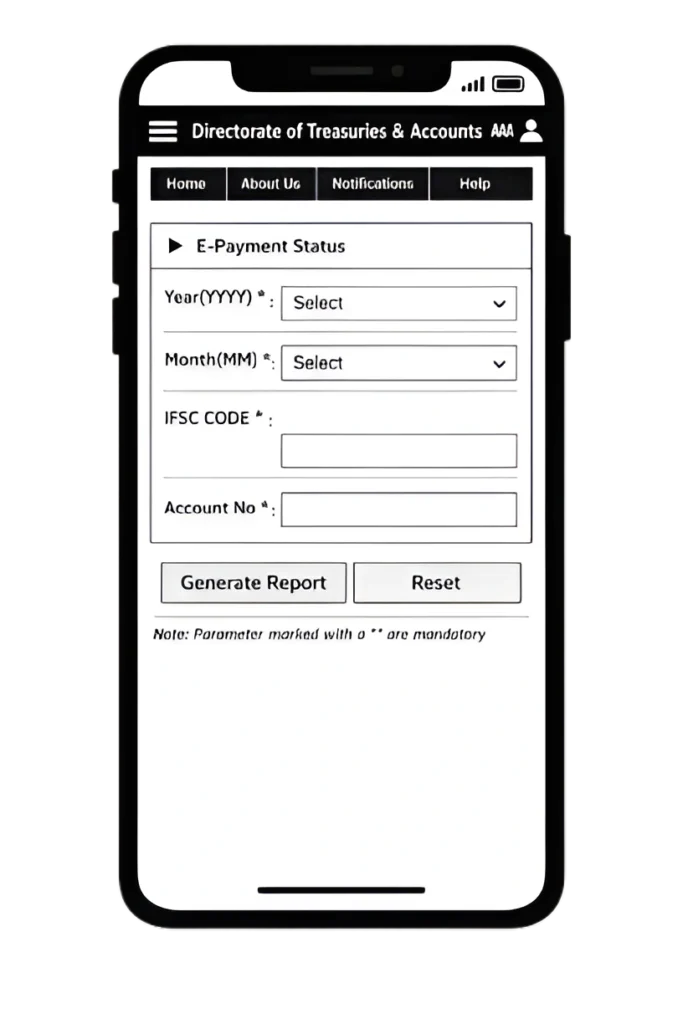
Find the Challan Status Section
Look for the “Challan Status” option in the menu and click on it.
Enter the Challan Reference Number
Enter the reference number you received after the payment. This is usually provided on your challan receipt.
Check the Status
After submitting the reference number, the system will show you the current status of your payment, whether it’s successful, pending, or failed.
How to Download MP Treasury Challan Receipt?
Once your payment is successful, it’s important to have a receipt for your records. Here’s how you can easily download it.
Head to the official website and log in using your credentials.
Navigate to the “Download Receipt” section.
Input your payment reference number and any other required details.
Once the details are verified, you can download and save your MP Treasury Challan Receipt.
Benefits of MP Treasury Challan Online
Paying your MP Treasury Challan online comes with several benefits, making it the preferred choice for many:
Convenience
Pay from anywhere, at any time, without having to visit a government office.
Time-Saving
The online process is quick, reducing the time spent on manual transactions.
Secure
Online payments are processed through secure channels, ensuring that your financial details are safe.
Trackable
Easily track your payment status and download receipts whenever needed.
Common Mistakes to Avoid
While paying your MP Treasury Challan online, avoid these common mistakes to ensure a smooth experience:
Always double-check the reference number before submitting it.
Ensure you’re using the correct payment method for your transaction.
Fill in all the required fields accurately to avoid payment failures.
Always download and save your receipt for future reference.
Important Tips for Successful Payments
To make sure your MP Treasury Challan payment goes smoothly, here are a few helpful tips:
Verify Payment Details
Double-check all entered details before confirming your payment.
Use Reliable Payment Methods
Stick to secure payment methods like Net Banking or UPI for a smoother process.
Keep Track of Your Reference Number
It’s crucial for checking the status and downloading receipts.
Save Your Challan Receipt
Always download and keep a copy of the receipt for your records.
How to Resolve Issues with MP Treasury Challan Payments?
If you face any issues while making your MP Treasury Challan payment, here are some common problems and solutions:
If your payment fails, try using a different payment method or check if your bank account has sufficient funds.
Ensure you’re using the correct reference number. If it still doesn’t work, contact the support team for assistance.
Sometimes, it takes a little time for the system to update. Wait for 24-48 hours before checking again.
Ensure you’ve entered the correct details. If you still can’t download it, reach out to customer support.
Frequently Asked Questions
Final Thoughts
Paying your MP Treasury Challan online is a simple, secure, and efficient process. Whether you are paying taxes, fees, or fines, the online system offers a convenient way to manage your payments. By following the step-by-step guide, you can easily pay, track, and download your receipts—all from the comfort of your home.
Don’t forget to avoid common mistakes such as entering incorrect reference numbers and ensure that you save your receipts for future reference. Start using the MP Treasury Challan Online system today and simplify your payment experience!