MP Treasury Login Guide 2026: Access Salary & Payments Online
The MP Treasury, also known as the Integrated Financial Management System (IFMS), is a vital tool for government employees to manage their financial services. This MP Treasury Login Guide 2026 explains how to log in, troubleshoot common issues, and easily access the key services offered by the portal, such as salary slips, challans, and pension details.
What is the MP Treasury Portal?
The MP Treasury portal, also referred to as IFMS (Integrated Financial Management System), is an online platform created by the Government of Madhya Pradesh. This portal allows government employees and authorized officials to manage financial services conveniently. Here are some key services available on the MP Treasury portal:
Employees can easily view and download their salary slips online.
The portal lets employees generate challans and check payment statuses in real-time.
Employees can access their General Provident Fund (GPF) details and pension records.
Users can track bills and payments related to government services.
With these services, the MP Treasury portal serves as a one-stop solution for managing financial data securely. All these services are available through a simple login, as explained in this MP Treasury Login Guide 2026.
New Updates in MP Treasury 2026: Enhancements and Features
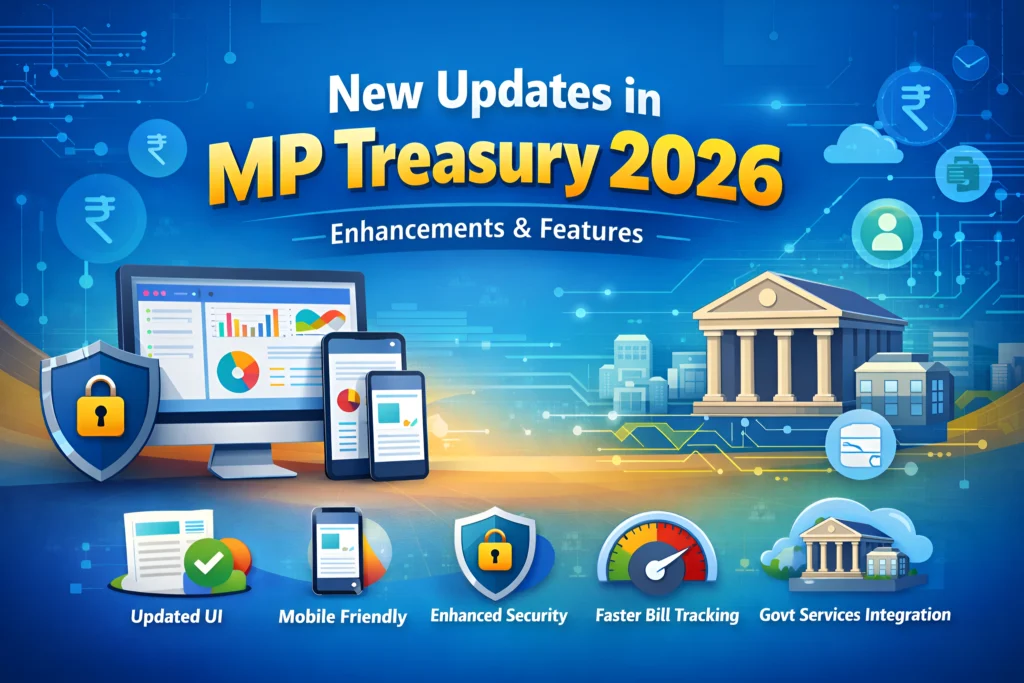
Updated User Interface (UI)
The portal has undergone a significant UI redesign, making it more user-friendly and accessible. Navigation is now smoother, and the login process is more streamlined.
Mobile-Friendly Design
With an increasing number of users accessing the portal via mobile devices, the MP Treasury website has been optimized for better mobile performance, ensuring that users can easily log in and access services from their smartphones or tablets.
Enhanced Security Features
In 2026, the MP Treasury portal has implemented stronger security protocols, including two-factor authentication (2FA) for added protection of user data and financial transactions.
Faster Bill Tracking
The bill tracking feature now displays more detailed status updates and notifications about payment statuses, making it easier to track payments and avoid delays.
Integration with Other Government Services
The MP Treasury portal now integrates with other Madhya Pradesh government services, allowing users to access multiple services through a single login.
The MP Treasury portal is constantly evolving to improve user experience and provide new services, as highlighted in this MP Treasury Login Guide 2026. Here are some of the most notable updates in 2026.
Step-by-Step Guide to Logging into the MP Treasury Portal
Step 1: Open the Official MP Treasury Website
To start the login process, open your web browser and enter the following URL to reach the official MP Treasury portal : https://mptreasury.gov.in
This will take you to the login page of the Integrated Financial Management System (IFMS).
Step 2: Locate the “IFMS Login” or “Employee Login” Section
On the website, look for the button or link labeled “IFMS Login” or “Employee Login.” This is where authorized government employees can log into their accounts.
Step 3: Enter Your Login Details
When you reach the login page, enter your credentials in the provided fields:
Your unique employee identification number.
The password linked to your account. Be sure to enter it exactly as it is case-sensitive.
This is used to verify that you are not a bot.
Be sure to double-check your details to avoid login issues.
Step 4: Click “Login”
Once you’ve entered your credentials, click the “Login” button. Following this MP Treasury Login Guide 2026, if everything is correct, you will be redirected to your dashboard, where you can access various services.
First-Time Users: Registration and Setup
If you are logging in for the first time, you’ll need to complete the registration process. Follow these steps to get started:
When you log in for the first time, make sure to change the temporary password to a secure one for future access.
How to Reset Forgotten Password
If you forget your password, follow the steps below to reset it:
Choose a strong password, combining letters, numbers, and special characters for better security.
What You Can Do After Logging In
Once logged into the MP Treasury portal, as explained in this MP Treasury Login Guide 2026, you will be able to perform various functions related to your financial services. Here’s what you can do:
You can easily download your salary slip from the “HRMIS Home” or “Employee Services” section. Just select the month and year of the pay slip and click “Generate” or “Download.”
The portal allows you to generate and check the status of challans and payments by visiting the “Challan & E-Payment” services section.
Depending on your access level, you may be able to view your GPF (General Provident Fund) and pension details. These can be found in the corresponding sections of the portal.
Common Login Problems and How to Fix Them
Sometimes users may encounter issues when trying to log into the MP Treasury portal. Below are some common issues and their solutions:
| Issue | Solution |
|---|---|
| Page Not Loading | Clear your browser cache and try a different browser. |
| Incorrect User ID | Contact your HR/DO for the correct User ID. |
| Forgotten Password | Use the “Forgot Password” link to reset it. |
| Captcha Errors | Refresh the captcha and re-enter the correct characters. |
| Mobile Login Issues | Try logging in via a desktop or laptop instead of a mobile device. |
Security Best Practices
When using the MP Treasury portal, it’s essential to maintain security. Here are some tips to protect your account:
Troubleshooting Tips for Missing Options or Errors
If certain options are missing after logging in or if you encounter other issues, try the following:
FAQs
Final Thoughts
The MP Treasury IFMS portal is an essential tool for government employees in Madhya Pradesh to manage their financial services online. With easy access to salary slips, challans, payment statuses, and more, the portal makes managing your financial tasks simple and secure. By following the MP Treasury Login Guide 2026, you can quickly log in, access your services, and troubleshoot any login issues.
If you found this guide helpful, bookmark it for future reference or share it with your colleagues. For any further assistance, always contact your DDO or treasury office.