How to View Salary Deductions on MP Treasury Payslip Guide
Salary Deductions on MP Treasury Payslip are essential to understand for accurate financial planning and transparency in government pay records. The MP Treasury payslip provides a detailed breakdown of deductions such as GPF, NPS, income tax, insurance, and other statutory contributions.
In this guide, we explain how to view salary deductions on the MP Treasury payslip, where to find each component, and what to do if you notice any discrepancies, helping Madhya Pradesh government employees verify their pay details with confidence.
Why Is It Important to Check Salary Deductions?
Before diving into the process, let’s first understand why it’s important to check your salary deductions. Salary deductions can include:
It’s always good to keep track of these deductions to ensure everything is accurate and nothing is missing.
Step-by-Step Guide to Check Salary Deductions on MP Treasury Payslip Online
Checking your salary slip is easy with MP Treasury’s online portal. Here’s how you can access it:
Step 1: Visit the MP Treasury Website
Go to the official MP Treasury website. The site is user-friendly and provides an online portal where employees can access their payslips.
Step 2: Login to Your Account
On the homepage, find the login option for employees. You’ll need your user ID and password. These credentials are usually provided to you by your employer when you’re registered with the MP Treasury portal.
If you’re unsure of your login details, contact your HR department for assistance.
Step 3: Select the Payslip Option
Once you’re logged in, navigate to the Payslip Section. Here, you can select the period for which you want to view your salary breakdown. You can choose the current month or any previous month, depending on what you need.
Step 4: Download or View the Payslip
After selecting the desired month, you’ll be able to view or download your payslip. The payslip will show a detailed breakdown of your salary, including:
Step 5: Review the Deductions
Look at the deductions section carefully. If you notice any discrepancies, like incorrect tax calculations or an unauthorized deduction, you should raise a query with your HR department or the MP Treasury support team.
Step 6: Download the Payslip for Future Reference
Once you’ve reviewed the details and are satisfied, download the payslip and save it for your records. It’s always a good practice to maintain a record of your payslips for future reference, especially if you need them for loan applications or other financial matters.
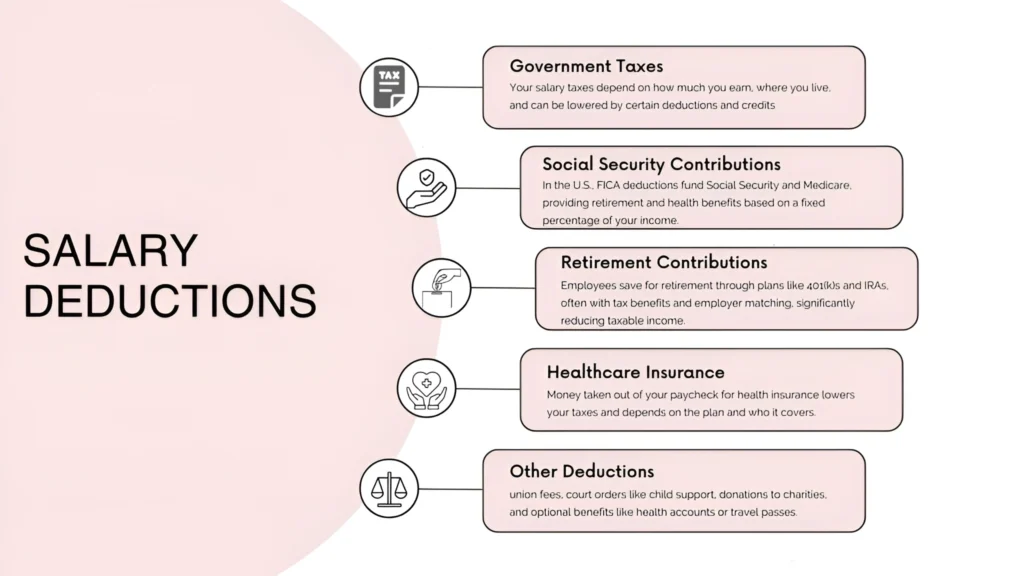
Common Salary Deductions You Might See
Here are some of the most common salary deductions you’ll find on your MP Treasury payslip:
What to Do if You Spot Errors in Your Salary Deductions?
It’s essential to ensure that the deductions are accurate. If you notice an error or something seems off, follow these steps:
Sometimes, deductions may be delayed or incorrectly entered. HR should be your first point of contact for resolving any issues.
If your income tax deductions seem higher than expected, ensure that your tax slab is correctly applied. You can refer to the current tax guidelines or talk to your HR team for clarification.
If necessary, request an updated payslip with the correct deductions. The portal allows you to download an updated version if corrections are made.
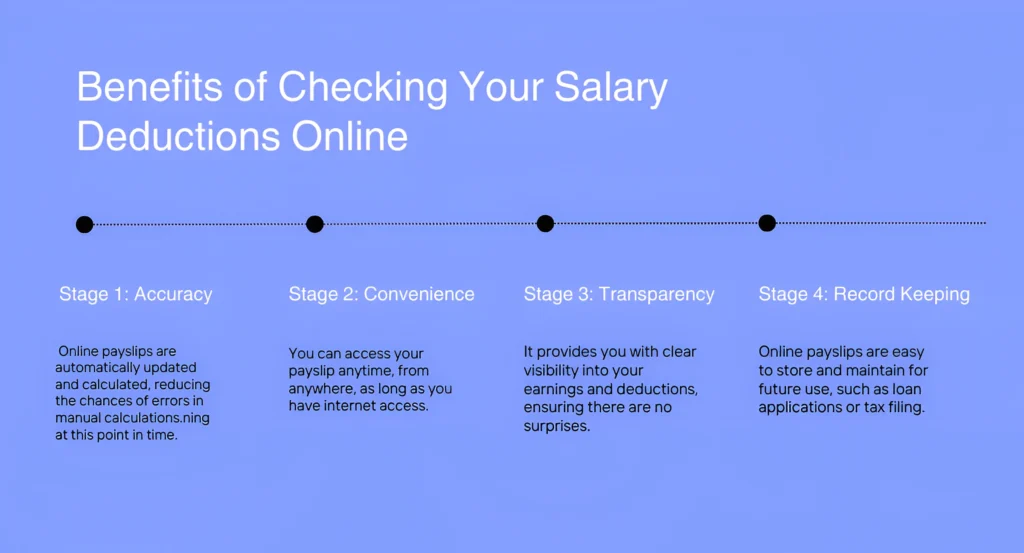
Benefits of Checking Your Salary Deductions Online
Checking your salary deductions online is not just a simple task—it’s also beneficial in many ways:
Tips for Managing Your Deductions
FAQs
Final Thoughts
Checking salary deductions on the MP Treasury payslip online is a straightforward process that only takes a few minutes. By regularly reviewing your payslip, you ensure transparency, accuracy, and better financial management.
It also helps you stay on top of your earnings and ensure that any errors or discrepancies are addressed promptly.