MP IFMS OTP Problem: How to Fix & Verify OTP Delivery Issues
MP IFMS OTP Problem is one of the most common issues faced by employees and DDOs while logging in, updating profiles, or approving transactions on the MP Treasury IFMS portal. Many users report that the OTP is delayed, not received on the registered mobile number, or shows an error during verification—causing interruptions in salary processing, GPF requests, and other essential services.
Since OTP authentication is mandatory for secure access on the IFMS portal, even a small mismatch in mobile details or network settings can block important actions. In this guide, you’ll learn the exact reasons behind MP IFMS OTP issues and step-by-step solutions to fix OTP delivery and verification problems quickly.
What Is MP Treasury IFMS & Why OTP Matters?
IFMS stands for Integrated Financial Management System. It’s the official online portal used by Madhya Pradesh government employees to:
The OTP (One‑Time Password) confirms you are you. Without it, you can’t log in or reset passwords. But what if that code never shows up? Let’s fix that.
Why the OTP Isn’t Coming-Common Causes
MP IFMS OTP Problem: Common Reasons Why OTP Verification Fails
Wrong Mobile Number
The portal will send the OTP to the number saved in your IFMS profile. If that’s outdated or wrong, you won’t get the message.
Bad Network / Signal
If your mobile signal is weak, SMS delivery can fail. Poor connectivity is one of the biggest real‑world culprits.
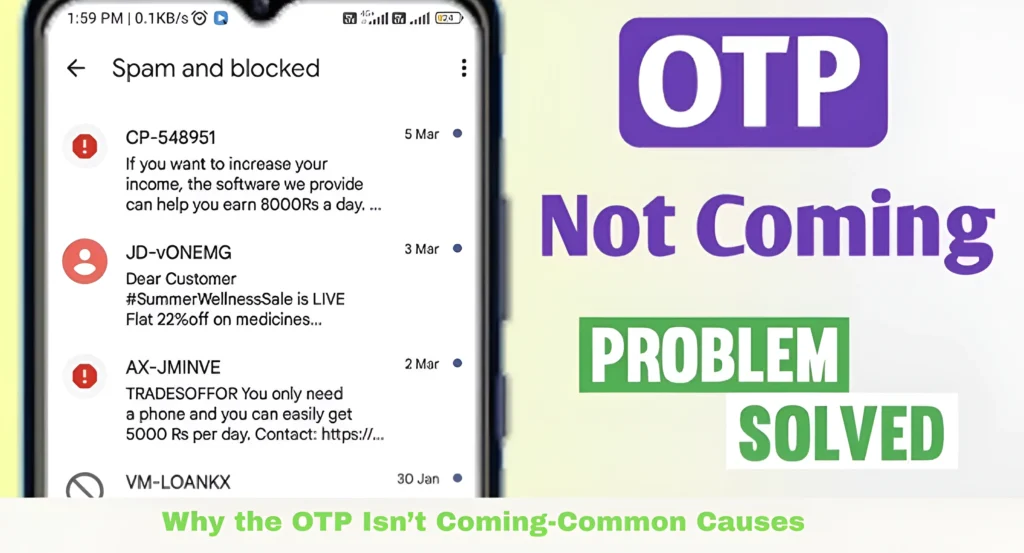
SMS Blocking or Filters
Phones can block unknown numbers or messages labeled as spam. This stops OTP messages from reaching you.
Telecom DLT Filtering
In India, SMS OTPs must be registered with telecom providers. If the portal’s sender ID isn’t properly registered, carriers might block the OTP messages.
IFMS System Delay
Sometimes the IFMS system itself can be slow or down during maintenance or peak usage. Waiting a few minutes often solves it.
Fixes That Actually Work — Step‑by‑Step
Follow these proven steps to resolve the MP IFMS OTP Problem, starting from checking spam messages to verifying your registered mobile number. Each step is practical, easy to apply, and helps restore OTP delivery without delay.
The OTP goes to the number saved in your IFMS profile. If it’s old:
- Login to IFMS if possible
- Go to Profile or E‑Profile section
- Update your mobile number and confirm
If you cannot login because OTP never arrives, contact your supervisor or DDO (Drawing & Disbursing Officer) to update it from the back end.
Old browser data sometimes interferes:
- Clear browser cache and cookies
- Close and reopen the browser
- Try again on the official portal: mptreasury.gov.in/IFMS
This refreshes the session and often allows OTP to show.
Obvious, but effective:
- Turn off mobile data and turn it back on
- Switch between mobile network and Wi‑Fi
- Restart your phone
This refreshes your connection to the network and often brings in OTP SMS that were stuck.
Check your phone settings:
- Open SMS app Settings
- Turn off any spam filters
- Unlock sender IDs if blocked
Some phones automatically block numbers not in your contacts list — whitelist the IFMS SMS number if possible.
Sometimes browser security settings block the OTP process. Try:
- Chrome
- Firefox
- Safari
Or use another device (phone vs desktop) to request the OTP again.
If the portal is busy (morning or lunchtime), servers can respond slowly. Try early morning or late evening — you’ll often get the OTP quicker.
Advanced Tips — Even When Nothing Works
These extra steps help when basic fixes fail:
Ask Your DDO for Manual Reset
Your DDO can:
Check SMS Settings on Your SIM
Phones sometimes route SMS via old or wrong service center numbers:
Try Email OTP (If Available)
Some services allow OTP via email. Check if IFMS displays an email option before sending OTP. If yes, choose that method and check your inbox (or spam folder).
How to Know the OTP Was Sent
When you click “Send OTP” on the IFMS login or password reset page:
Hint: Always double‑check that the mobile number shown on screen is your correct number.
Quick Recap — Fast Checklist
Use this whenever OTP fails:
What Happens After You Get OTP
Once you receive the OTP:
This saves a lot of frustration.
Video Guide: How to Fix MP IFMS OTP Issue
FAQs
Final Thoughts
When you experience OTP issues, the problem is most often related to outdated info or weak connections. Follow these easy steps to ensure smooth access to your IFMS portal.
Keep your mobile number updated, double‑check network settings, and don’t hesitate to reach out to your DDO if needed. The sooner you fix these issues, the quicker you can access your important financial data, payslips, and more!