Validate Treasury Challans for Tax and Government Deductions
MP Treasury Challans for Tax and Government Deductions serve as official instruments for depositing various taxes, fees, and statutory payments into the government’s treasury. Ensuring the validity of these challans is a crucial step to confirm that the payments made by individuals, companies, or government entities are correctly processed, properly recorded, and adhere to relevant financial laws. A thorough validation process helps eliminate common mistakes, such as incorrect account entries, discrepancies in amounts, or duplicate payments. Additionally, it enhances transparency and ensures readiness for audits.
By cross-checking treasury challans with official records and payment confirmations, businesses and organizations can ensure financial accuracy and maintain compliance with statutory obligations.
What Is a Treasury Challan?
A treasury challan is a payment receipt issued by the government to acknowledge that you’ve deposited money with a treasury or authorized bank branch. It is used in many contexts especially for paying:
In simple terms, the challan is your proof of payment. Without it, tax departments can’t confirm that you’ve actually paid what you owe.
Why Validate a Treasury Challan?
Validating a treasury challan is extremely important because Treasury Challans for Tax and Government Deductions ensure accurate payments, prevent accounting errors, and maintain compliance with official financial records.
For example, in the case of TDS, if a challan is not validated properly, the deducted amount may not show up in Form 26AS or TRACES. This could lead to incorrect tax liability or refund issues later.
Key Details on a Challan You Must Always Check
Before you validate a challan, make sure the following fields are correctly filled:
If any of these details are incorrect, the payment may still be counted but not credited correctly. That mistake can lead to mismatches when you file returns.
How to Validate a Treasury Challan Online
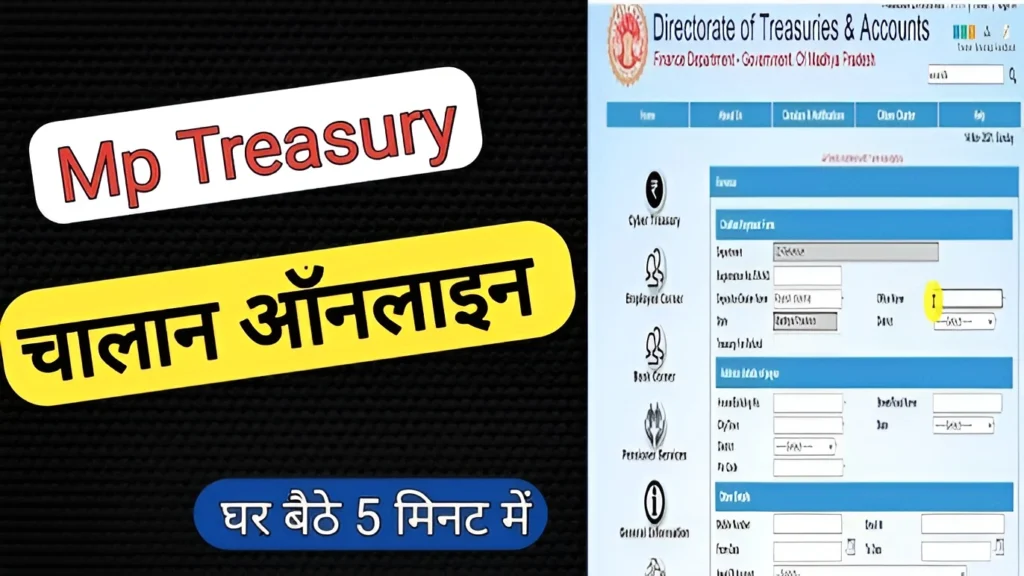
Validating a treasury challan online helps you confirm that your payment has been successfully recorded in the government system. This guide explains the easy steps to check challan details, payment status, and avoid common errors.
Step 1: Get Your CIN or TAN Re
You need either the Challan Identification Number (CIN) or Tax Deduction Account Number (TAN) to look up your challan status.
What’s CIN?
It is a unique tracking number printed on your challan slip.
What’s TAN?
This is a tax ID used by deductors when they deposit TDS/TCS.
Step 2: Visit the Official Challan Status Page
For India, use the Income Tax Department’s Challan Status facility:
This helps you verify whether the payment reached the tax department’s account.
Step 3: Validate on TRACES (for TDS/TCS)
If you’ve deposited TDS or TCS, you can also check the challan on the TRACES portal:
This is particularly helpful if you are reconciling TDS credits before filing returns.
Common Errors to Watch Out For
Here are frequent issues people make and how to avoid them:
Entering Wrong PAN or TAN
Double‑check the identification number before you submit the challan online. A simple typo can make your payment invisible to the tax system.
Incorrect Challan Code
There are different challan codes (e.g., 280, 281, etc.) for different types of tax payments. Always choose the correct one when making a payment, because validation depends on it.
Waiting Too Long to Validate
Don’t wait until you file your annual return. Validate the challan as soon as you make the payment. Early checks avoid year‑end rush and errors.
Ignoring the Payment Purpose
Sometimes people pay under the wrong tax head. Always confirm that the purpose (TDS, advance tax, fee) is correctly selected before final payment.
What to Do If a Challan Doesn’t Show Up
If your challan doesn’t show in the status:
Tips for Quick and Easy Validation
Here are some practical tips that professionals use:
Save All Receipts
Download and save scanned copies of every challan you generate.
Use Auto‑Fill Tools
If you use e‑filing software, make sure it pulls challan data directly from the TRACES database.
Match With Form 26AS
After validation, check that the payment appears in Form 26AS so your tax credits are correctly reflected.
Keep a Digital Ledger
Record your payments in a simple spreadsheet with CIN, date, amount, and tax head for future reference.
FAQs
Final Thoughts
Challan validation might seem like an extra step, but it’s one of the most important parts of tax compliance. A validated challan means a clean tax return, no penalties, and accurate financial records.
Whether you’re paying taxes yourself or managing TDS on behalf of someone else, take the time to validate treasury challans right after payment. It saves time, stress, and money in the long run. Don’t let mistakes now cause headaches later.