Track Budget Utilisation,Cash Balance & Fund Reports MP
Cash Balance & Fund Reports MP are essential for understanding how the state manages its finances. Tracking budget utilisation, cash balance, and fund reports helps provide a clear view of government spending, reserves, and emergency funds. For those interested in Madhya Pradesh (MP), the MP Treasury Portal offers a gateway to key financial information.
However, while the portal is a valuable resource, many crucial details about budget allocations, spending patterns, cash reserves, and the contingency fund are often available through additional official platforms. In this guide, we’ll explore how you can track these financial indicators effectively, highlighting the best sources and tools available to stay informed about the state’s financial health.
Track Madhya Pradesh Budget Utilisation, Cash Balance & Fund
Yes — you can track some financial information about the state’s money online, but not all things directly on the MP Treasury portal, at least not in a public, detailed way.
Here’s the breakdown:
So yes, you can track this information, but you might need different official sources — not just the MP Treasury IFMS login.
What Exactly Is the MP Treasury Portal?
First, a quick explanation:
MP Treasury, also called IFMS (Integrated Financial Management System), is an online platform built by the Madhya Pradesh Finance Department.
It’s mainly used for:
For the public, the portal lets government staff log in to view pay slips, salary details, etc., but doesn’t show a transparent public dashboard of all state finances (like budget use or cash balance trends).
So if you’re a citizen without login credentials, you won’t see this detailed financial data on the portal itself.
How to Track State Budget Utilisation
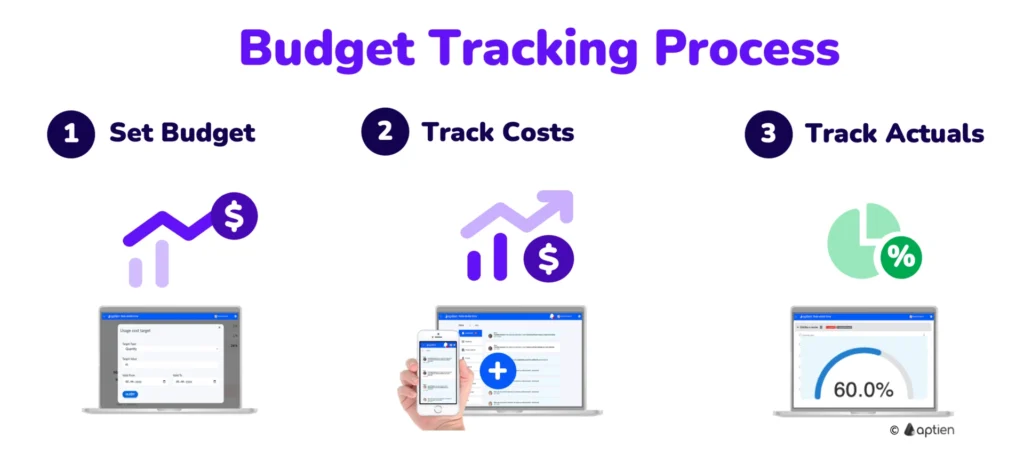
If your goal is to monitor how the state is spending its budget (for example, how much of the parking, roads, health, or education budget is actually used), along with tracking Cash Balance & Fund Reports MP, here’s what you need to know:
Visit the Madhya Pradesh Finance Department Budget Page
The Finance Department has an official section on its website that publishes:
This is where the public can find budget allocations, estimated spending, and actual expenditure figures that help you understand how much of the budget was planned vs spent.
Tip: Look for PDFs or Excel downloads in the “Budget” or “Reports” section — these often include summary tables that are easy to read.
How to Follow Cash Balance Trends
The state’s cash balance is the amount of money the government has at a given point in time — like a bank balance for the state.
Official Finance Accounts
The Finance Accounts (like those published by CAG) show detailed statements about:
These reports don’t show up directly on the MP Treasury login page, but they are public documents you can download and read.
Tip: Use the “Summary of Balances under Consolidated Fund, Contingency Fund, and Public Account” section in these reports — it tells you exactly how much money was available and where it was kept.
Understanding Contingency Funds
A contingency fund is money set aside for emergencies — like unexpected disasters or urgent public needs.
Where to Find This Info
The detailed values of Contingency Funds and how they were used are usually found in:
Again, these aren’t usually shown live on the Treasury portal itself, but they are published by the government so citizens can check them.
Tip: Look up things like “Statement of Balances under Consolidated Fund, Contingency Fund and Public Account” in these official reports — you’ll find the numbers you need there.
So Where Should You Look?
Here’s a simple list of reliable sources you can check:
MP Finance Department Budget Website
Comptroller and Auditor General (CAG) Reports
Official Government Portals
Simple Tips to Track These Things Easily
Here are some friendly tips to help you track state financial data without frustration:
Use the Finance Department’s Budget section first
Budget docs are usually easier to understand than raw Treasury data.
Use the Finance Department’s Budget section first
This will help you find formal reports — often with tables summarizing cash balances and fund usage.
Use PDF search tools
If a budget or Finance Account PDF is long, use Ctrl + F to find words like:
Bookmark important pages
Government portals can be tricky to navigate. Save the links you need so you don’t lose them later.
FAQs
Final Thoughts
Tracking state finances can seem complex at first, but with the right tools and resources, it’s not as hard as it may appear.
While the MP Treasury portal provides useful internal services for government employees, budget utilisation, cash balances, and contingency fund data are accessible through other official government platforms like the Finance Department’s budget pages and CAG reports.