MP Treasury Security Update: Biometric, 2FA & Device Reg
In today’s digital world, MP Treasury Security Update is an essential topic for anyone using the Madhya Pradesh Treasury portal. As the government steps up its efforts to protect sensitive financial and personal data, significant security improvements are being introduced. These updates, including biometric authentication, two‑factor authentication (2FA), and device registration, are designed to provide enhanced security and a safer user experience. In this guide, we’ll walk you through these updates, why they matter, and how they can help you secure your MP Treasury account as we move into 2026.

What Is MP Treasury (IFMS MP)?
Before we dive into the security update, let’s briefly understand the platform.
The Madhya Pradesh Treasury, also known as IFMS MP (Integrated Financial Management System), is an online portal used by the Government of Madhya Pradesh to manage state financial operations including employee salary slips, challans (government fee receipts), payment tracking, pensioner services, and more.
Whether you’re a government employee or a citizen checking payment status, you must log in securely to use these services.
Why the Latest MP Treasury Security Update Matters
Security in online portals isn’t just a technical topic it affects your privacy, data protection, and financial safety.
In the past, logging in to online systems was mainly about username + password. But passwords alone are no longer safe hackers can guess them, reuse them from breached sites, or steal them through phishing. To prevent this, modern systems now require multiple ways to verify that YOU are logging in not someone pretending to be you. This is where biometric authentication, 2FA, and registered devices come in.
What Is Biometric Authentication?
Biometric authentication is a method of verifying your identity based on something unique to you like a fingerprint, face scan, or iris recognition. Instead of just entering a password, the system checks your physical characteristic.
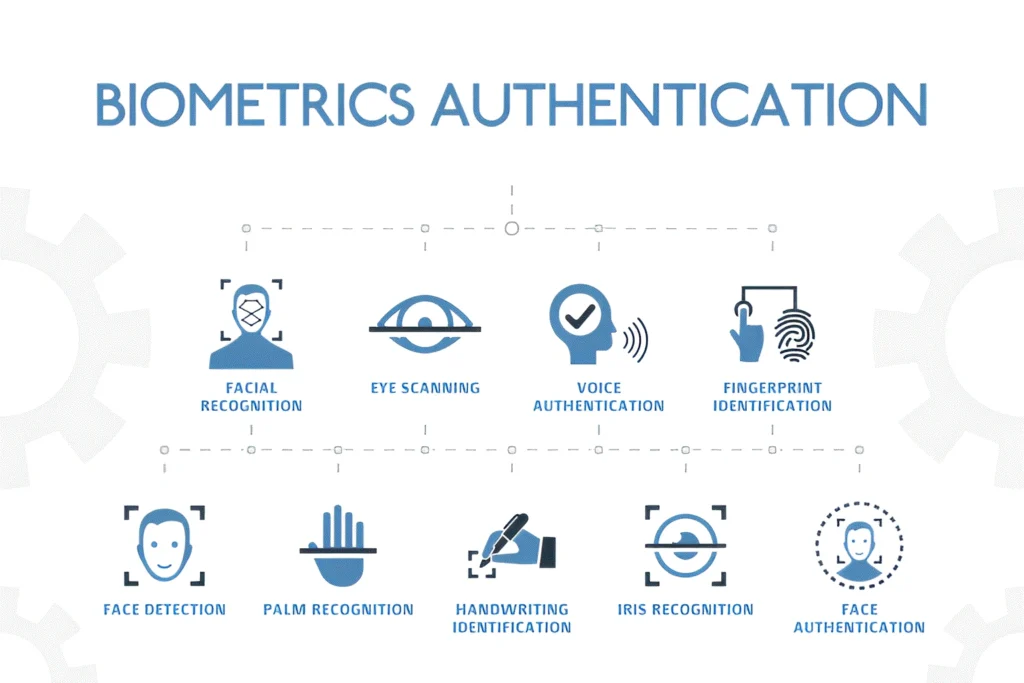
Here’s why biometrics are helpful:
In India, many secure services including UPI payments and government portals are moving toward biometric authentication as either an optional or mandatory feature for higher security.
What Is Two‑Factor Authentication (2FA)?
Think of 2FA as another safety layer that protects your account even if someone guesses your password.
2FA means:
So instead of logging in with only a password, you’ll also be asked for a second verification step. This makes unauthorized access much harder.
Examples:
2FA is now standard across many Indian government services and financial portals.
5. What Is Device Registration?
When you login from a new device like a new phone or a public computer the portal may ask you to register that device before allowing access. Device registration helps protect your account because:
Registered devices might be linked to your email or mobile number and verified with OTP or biometric confirmation.
How This Applies to MP Treasury Login
As part of ongoing security improvements, the MP Treasury / IFMS MP portal uses enhanced login security, including:
While MP Treasury’s official portal still primarily uses OTP based 2FA (as of early 2026), the trend across Indian digital finance systems is to prepare for biometric verification and multi‑factor checks as extra security.
This means that in the near future, you may be asked for:
All adding stronger layers of protection.
How to Stay Secure — Quick Tips
Here are practical tips to keep your Treasury account safe:
Keep Your Contact Updated
Make sure your registered mobile number and email are always current. They’re used for OTP and notifications.
Enable 2FA Everywhere
If MP Treasury gives you a choice to enable additional verification (like app codes or biometrics), do it. It protects your account better than just a password.
Use Trusted Devices
Register your personal phone or laptop. Avoid logging in on public computers unless necessary.
Beware of Phishing
Never click on suspicious links claiming to be from MP Treasury. Always visit the official portal via https://mptreasury.gov.in.
Biometrics Care
If biometric login becomes available, ensure your device’s biometric sensors are working well (clean and functioning). Don’t share biometric data with unverified apps.
Backup Codes
If you use an authenticator app, keep backup codes safe in case you lose your phone.
FAQs
Final Thoughts
Your MP Treasury account holds sensitive financial information. The shift toward biometric checks, two‑factor authentication, and device registration reflects a broader effort to make government digital services safer and more user‑friendly. These updates protect you from fraud and help you use the portal with confidence.
Stay updated with official announcements from MP Treasury and make sure you take advantage of the latest security enhancements for a smoother, safer experience online.