MP Treasury IFMS Portal Alternatives on Salary Day Guide
Everyone who depends on the MP Treasury IFMS Portal Alternatives especially employees waiting for their salary slips or payment info knows the worry when the system goes offline right on salary day. It’s frustrating, but there are practical steps and alternatives you can use instead of just waiting.
In this article, we’ll explain what the IFMS portal is, why it might be unavailable, and what alternate options you can use to access salary-related info without stress.
What Is the MP Treasury IFMS Portal?
The IFMS (Integrated Financial Management System) is an online portal used by the Government of Madhya Pradesh for handling financial processes such as payroll, treasury data, bill processing, and salary information. Through the MP Treasury IFMS portal, employees can download payslips, view salary details, and track financial records.
This system connects government payroll, treasury, and accounting functions into one place making payments and records easier to manage. However, like any online system, it can become unavailable at times due to maintenance, updates, or unexpected errors.
Why Does the IFMS Portal Go Down?
There are multiple reasons why the IFMS portal might be offline:
Scheduled maintenance and system updates:
Government systems often require updates and upgrades. These might be planned in advance, and access may be restricted temporarily.
High traffic on salary days:
When everyone tries to access the portal at once, servers can slow down or crash.
Technical issues
Servers, connectivity problems, or backend errors can all lead to downtime.
Disaster recovery testing:
Sometimes the portal might switch to backup systems, which could take time. Although systems are designed for reliability, short disruptions can still happen.
What to Do When the IFMS Portal Is Down
Instead of panicking or continuously refreshing the page, try the following alternatives and backup options to get the information you need:
Try Accessing During Off‑Peak Hours
When many users log in at the same time such as at the exact moment salaries are released — the system can slow down or hang.
What to do:
Often, the portal works smoothly during these off‑peak windows.
Check for Maintenance Alerts
Government departments normally publish notifications about scheduled maintenance.
Where to check:
If there’s a scheduled update, the portal may display an alert informing you of expected downtime and when the system will be back online.
Use MP Treasury IFMS Portal Alternatives Government Resources
Many employees can access salary information and pay slips through alternative routes:
A. Department Payroll Office
Your department’s payroll or accounts office can provide information on salary status, pay slips, or payment confirmation.
They can often print or share:
This is especially helpful if you need a hard copy for documents or proof of income.
B. Finance Department Contacts
Each department’s finance or accounts section typically has contact staff who can help if the portal is unavailable.
Ask them for:
Often, internal systems mirror IFMS data and can provide the same info even when the public portal is down.
Check Bank Statements
If your salary is credited to your bank account, your bank statement is a reliable alternative source of information.
Here’s what to do:
Even if the IFMS portal is offline, the payment must be credited in your bank account if the salary process completed successfully. Your bank record becomes your best proof of payment.
Use Email or HR Support
If the portal remains down and your salary is urgent, reach out to:
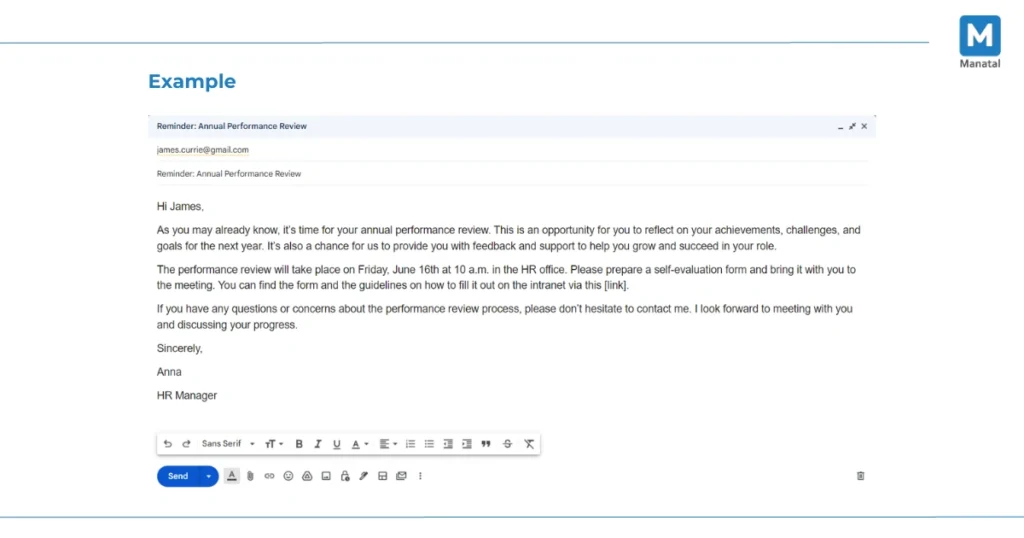
Most offices handle such issues frequently and can share a copy of your payslip or salary data by email.
Often, departments also subscribe to alerts or updates from the treasury team, so they may have inside information about system downtime and when it will be restored.
Save Screenshots and Records
If you encounter an error message or maintenance notification, take screenshots. These can help when you follow up with the payroll office or IT support.
Store:
These records help support teams diagnose issues faster and provide proof of attempts to access the portal.
Use Backup Government Portals
In some states, there are secondary or mirror government systems that also store salary and financial data.
For example:
If you know the HRMS or other centralized payroll login portal your department uses, you can try accessing salary info there.
Wait for IFMS Next‑Gen Upgrades
Government financial systems like IFMS are continuously being updated and modernized. Plans like IFMIS Next‑Gen aim to strengthen uptime, make access easier, and provide faster service.
While these upgrades are in progress, occasional downtime could happen, but they should reduce problems over time and provide a more reliable experience.
Portal Down or Salary Delayed? Check the Difference First
IFMS downtime does not always mean your salary payment is delayed. Check your bank account to confirm whether the salary has been credited. If payment appears but the payslip is unavailable, wait for the portal to recover or request a copy from payroll. If neither payment nor salary details appear, contact your DDO or accounts office for the bill status.
Need a Payslip Today? Use These Safe Alternatives
Request an official salary certificate, digitally shared payslip, or stamped salary statement from your HR or payroll office. A bank statement can confirm salary credit but may not replace a payslip for loans or official verification. Only use departmental portals officially provided by your employer, and never enter IFMS credentials on unofficial third-party websites.
IFMS Down on Salary Day? Solve These Problems Without Waiting
| Common Problem | Fast and Safe Solution |
|---|---|
| Portal does not open or shows a server error | Wait 30–60 minutes and retry during off-peak hours using the official URL. |
| Page loads slowly or freezes | Clear the browser cache, use another updated browser, or switch to a stable internet connection. |
| OTP is not received | Check the registered mobile number, network signal, and blocked messages before requesting another OTP. |
| Payslip is unavailable but salary is credited | Request the payslip from payroll or download it after IFMS service is restored. |
| Salary is not showing in the bank account | Ask the DDO or accounts office whether the salary bill is pending, approved, or sent to the bank. |
| Payslip is urgently needed for a loan | Request an official salary certificate or stamped salary statement from HR or payroll. |
| Login credentials are rejected | Use the official password-recovery option or contact the authorized administrator. |
| An alternative website asks for IFMS details | Do not enter your credentials; use only portals officially confirmed by your department. |
| Downtime happens repeatedly | Save payslips monthly and keep secure digital backups for future use. |
Salary Missing After the Portal Returns?
Check the payment status in IFMS and compare it with your bank statement. If the salary bill shows “processed” but no credit appears, contact the bank and payroll office with the transaction date and reference number. If it shows “pending” or “rejected,” ask your DDO to verify the bill, budget head, bank details, and approval status.
FAQs
Final Thoughts
Experiencing downtime on the MP Treasury IFMS portal on salary day can be frustrating, but it does not have to prevent you from accessing your payment details. Instead of repeatedly refreshing the page, wait for off-peak hours, contact HR or payroll for assistance, check your bank statement for salary confirmation, or use an officially approved departmental portal. By knowing these alternatives, you can access important salary information and avoid unnecessary delays while the portal is temporarily unavailable.